Announcements and outlook for the S-IT tools: which programs are currently being developed further, where new interfaces and language versions are being created, and what is planned next. The latest post is at the top.
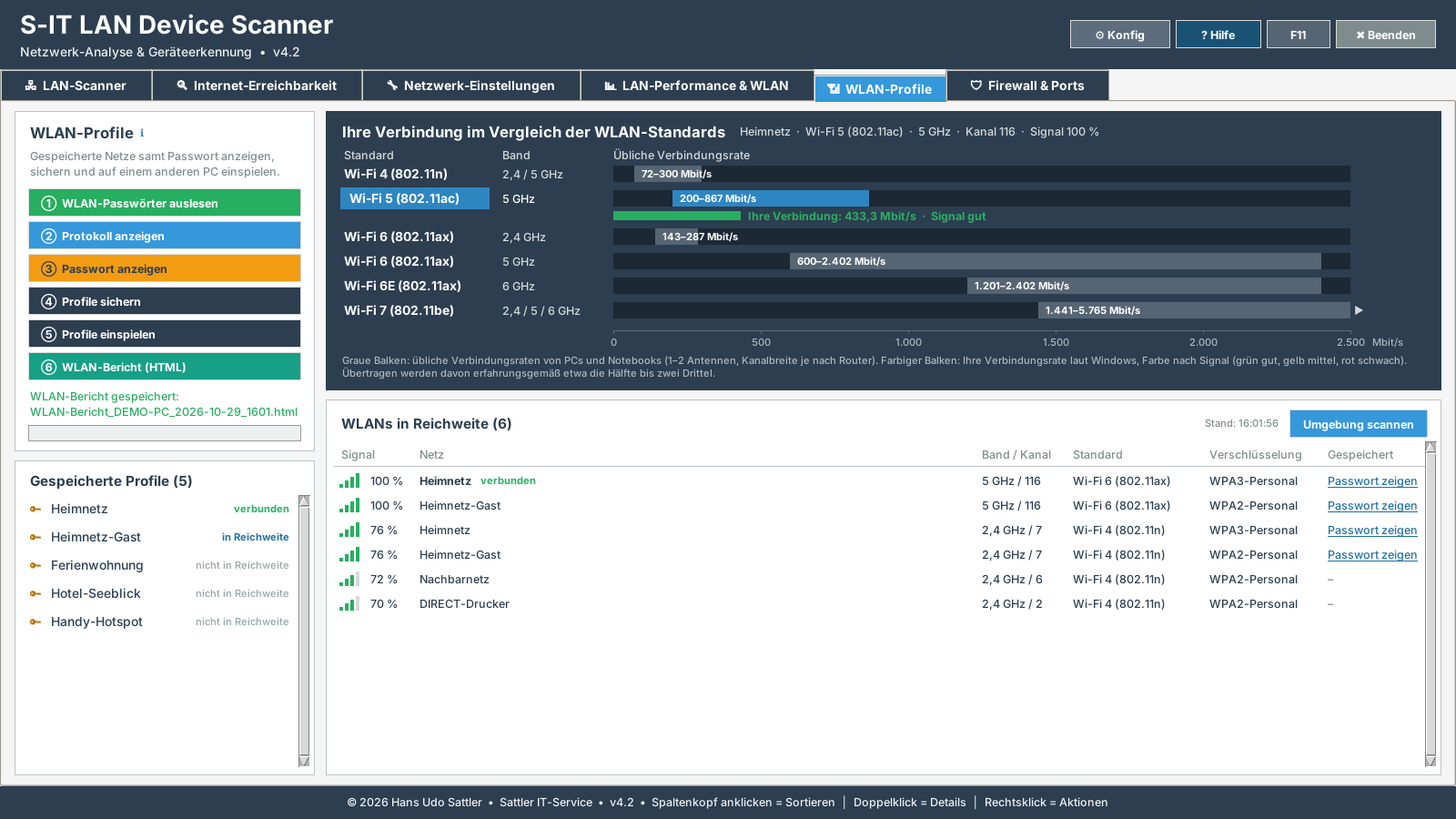
LanScanner gets a tab of its own for Wi-Fi. It shows the Wi-Fi networks saved on the PC, including their passwords, backs them up and restores them on another PC, for example when moving to a new computer. A chart places your own connection among the Wi-Fi standards from Wi-Fi 4 to Wi-Fi 7. Below it, the networks in range are listed with signal strength, band, channel and encryption.
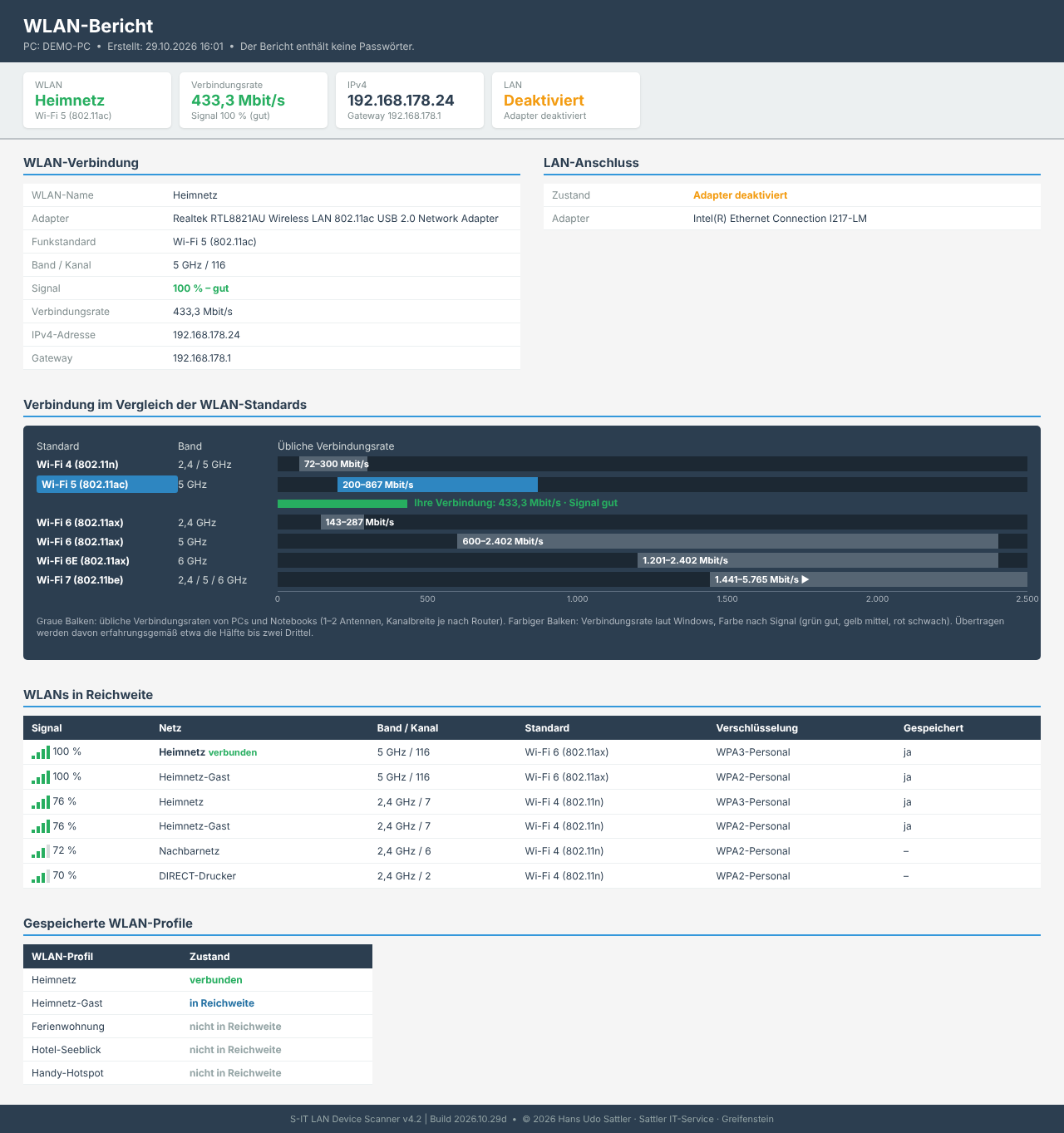
One click creates a Wi-Fi report as an HTML file: Wi-Fi and LAN connection, IP addresses, networks in range and saved profiles, without passwords.
WLAN Profiles tab (preview with sample data)Wi-Fi report (preview with sample data)
SmartPack packs folders as an ISO file or a 7z/ZIP archive – even several folders from different drives in one file. Fixed tasks sit on ten speed dial buttons and are started with a single click.
SmartPack has been multilingual from the start and is available in German, English and Dutch.
LAN Device Scanner 4.1: device type and device name
Version 4.1 classifies the devices it finds by device type and, where it can be determined, shows the device name. Your own entries for the device type always take precedence over the automatic classification.
The connection quality of the devices is easier to look up.
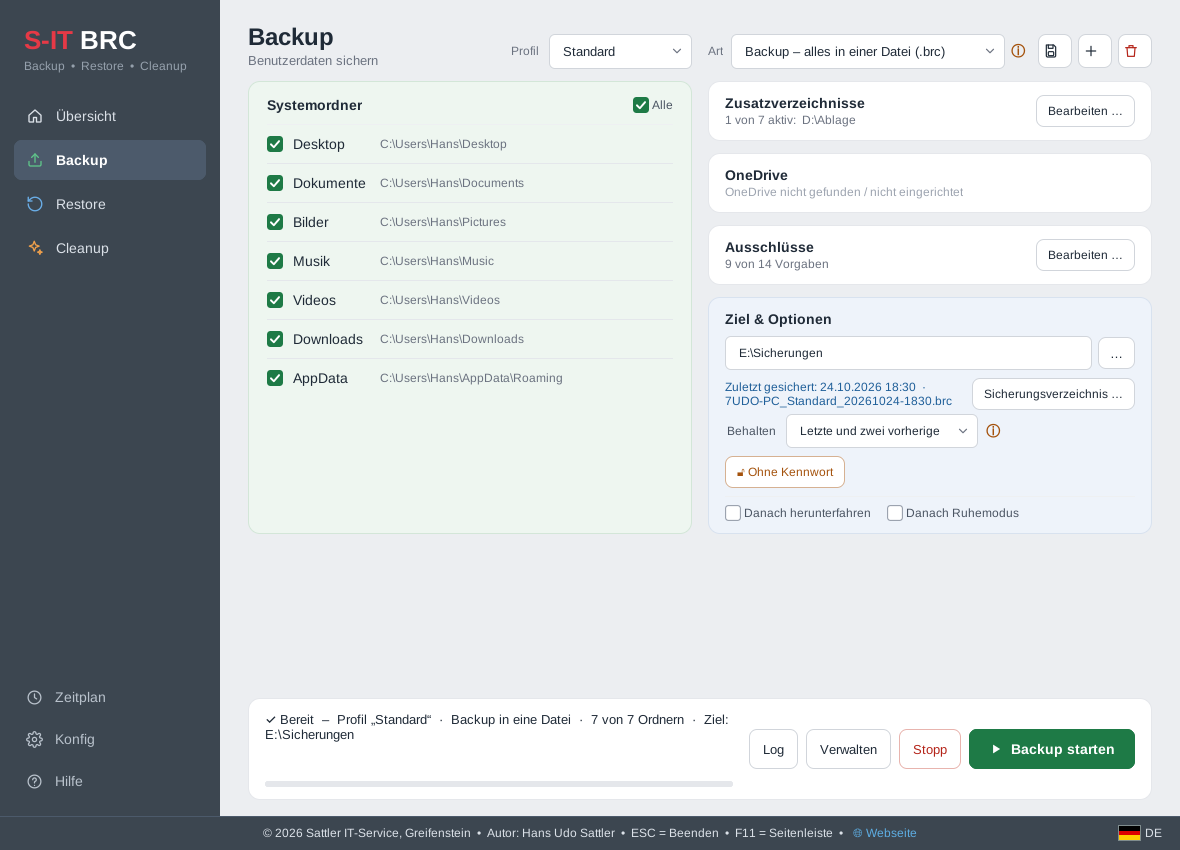
Alongside the existing file backup, the next version of BRC adds the backup type “Backup”: all selected folders are saved in a single file with the extension .brc. This file is a standard ZIP archive. Without a password it can also be opened with Windows Explorer or 7-Zip.
If required, the backup is encrypted with a password (AES-256). The file and folder names are then unreadable as well, and the backup can only be restored with BRC. Files that occur more than once in a backup are stored only once. This saves space at the backup destination.
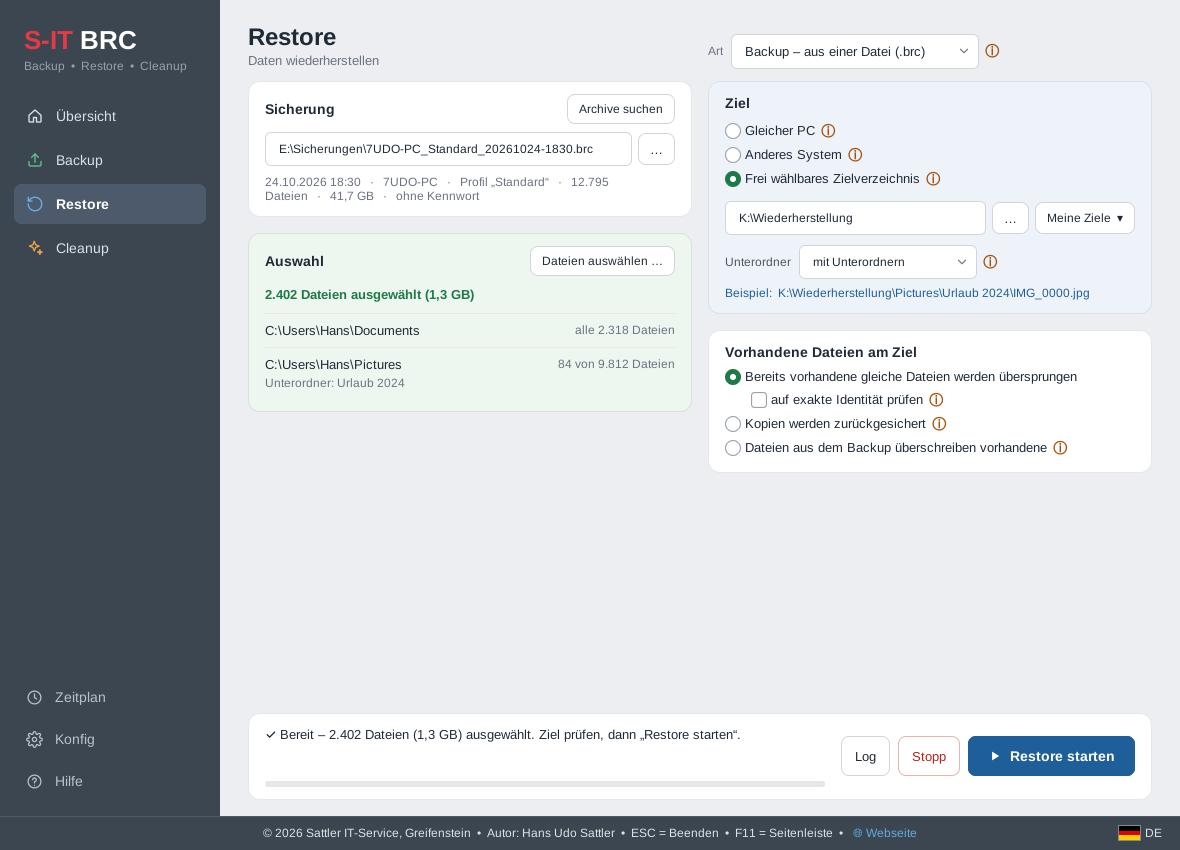
If required, BRC keeps several older backup sets and removes the oldest ones itself. A check function determines whether a backup is complete and readable. When restoring, individual folders and files can be selected.
In addition, there is a new interface: a sidebar on the left with Overview, Backup, Restore and Cleanup, and next to it a light work area with clearly structured cards. The colours can be adjusted using coordinated colour schemes.